Your first diagram
You'll build the simplest useful architecture picture: one box for a system, the people who use it, and one outside service it depends on. No prior knowledge needed — every term is explained as it appears. Allow ten minutes.
What you'll end with: a context diagram — the whole system drawn as a single box, surrounded by who and what touches it. It's the picture you'd show anyone who asks "so what is this system?".
Step 1 — Open the C4 editor
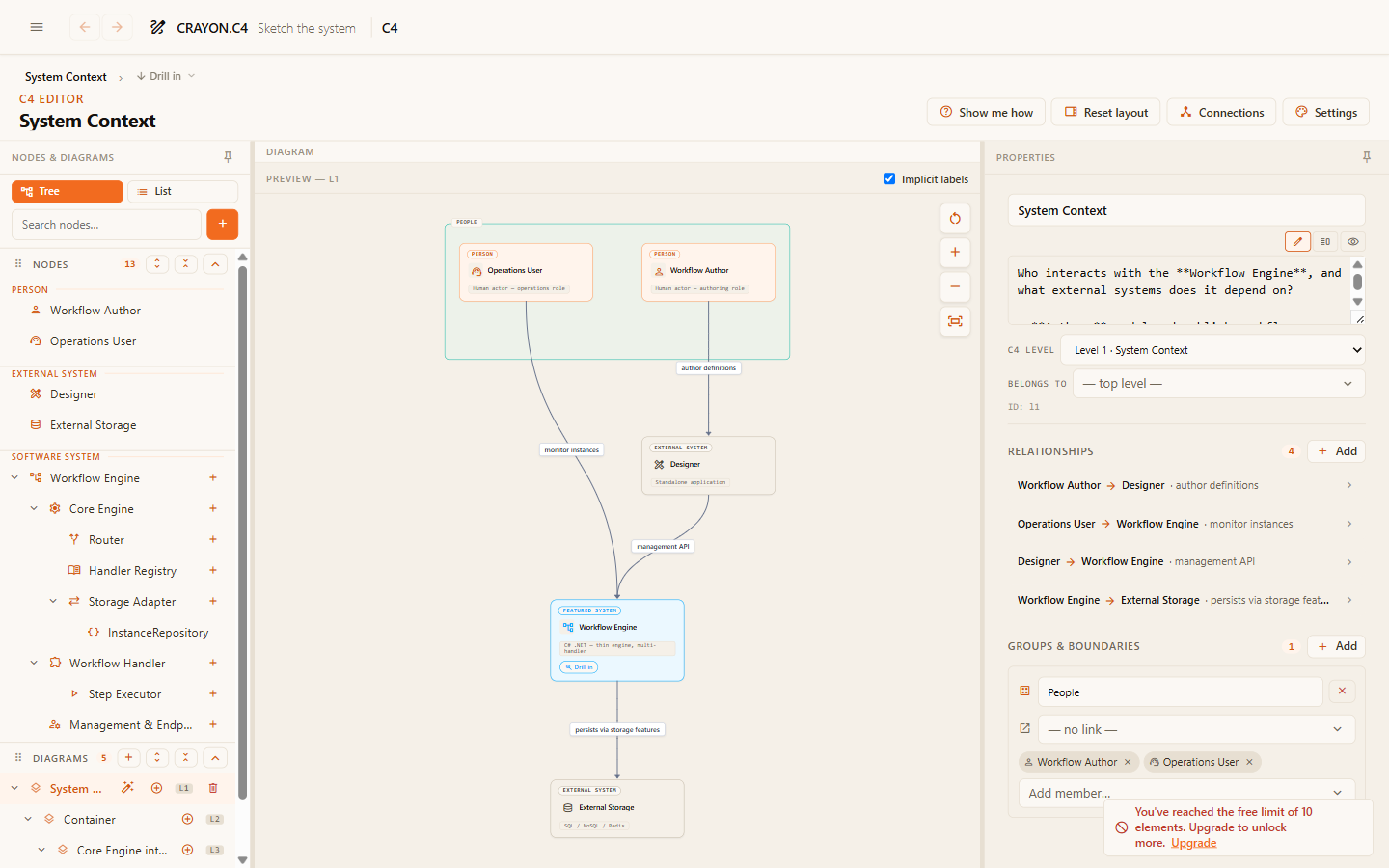
Open the menu (top-left) and choose the C4 editor. You'll see three panes: the tree of diagram content on the left, the drawing canvas in the middle, and a details form on the right.
Step 2 — Add your system
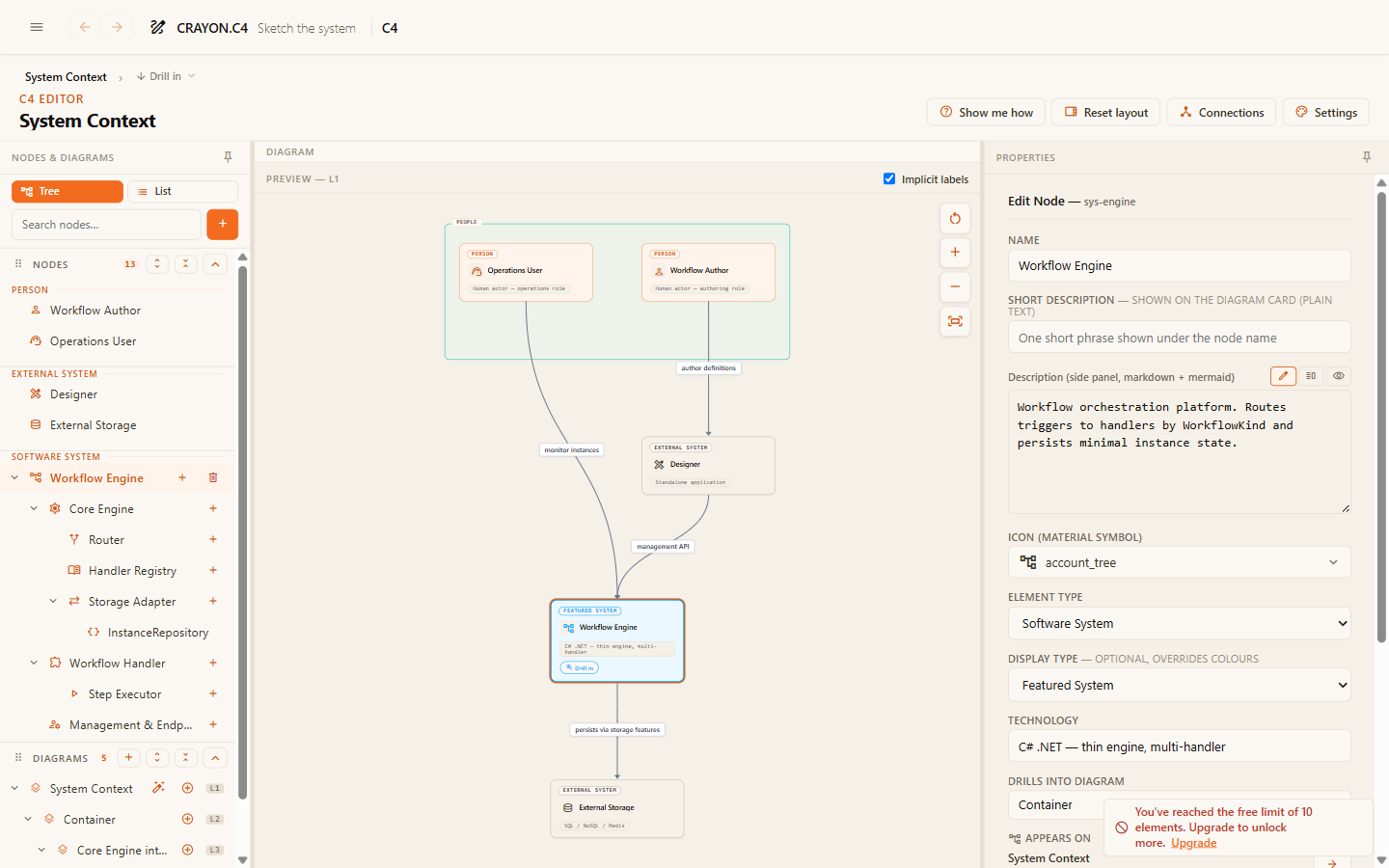
Add an element and give it the type Software System — the box that stands for the whole thing you're describing. Name it after your real system ("Webshop", "Claims Portal") and write a one-line description. The description appears when readers click the box, so make it count.
Step 3 — Add the people
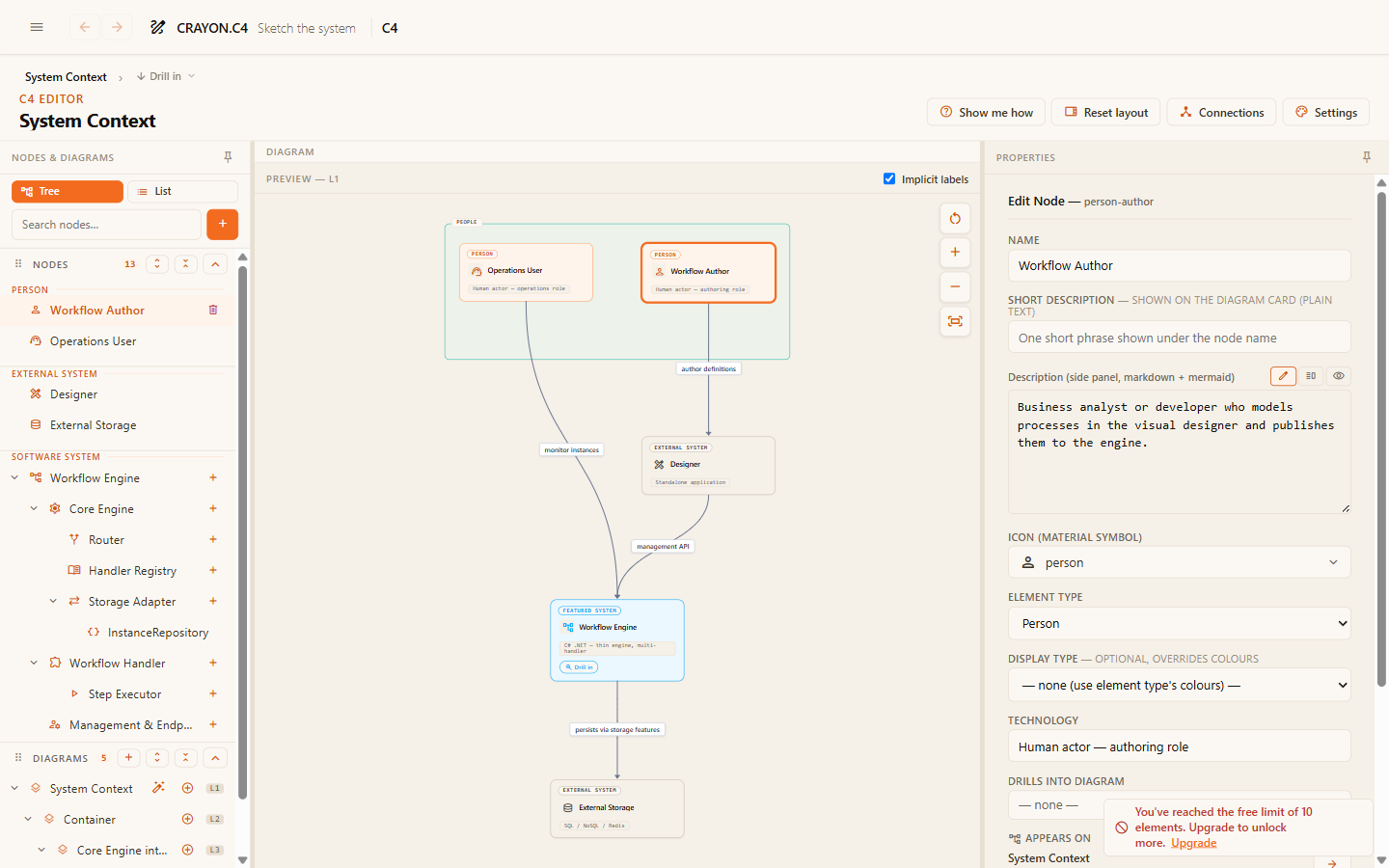
Add an element of type Person for each kind of user — not individuals, but roles: "Customer", "Administrator". Two or three roles is typical.
Step 4 — Add an external system
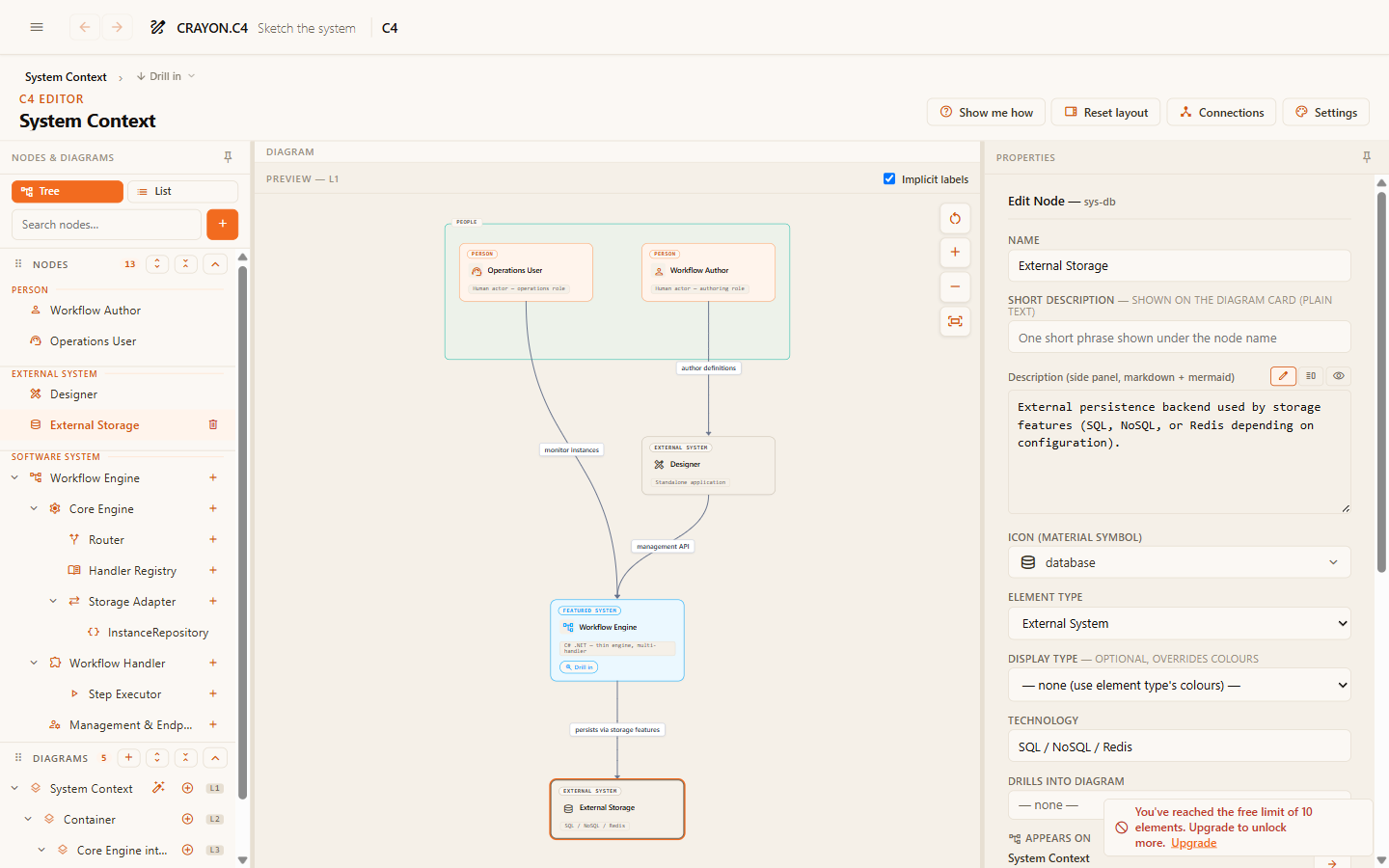
Add one element of type External System for something your system depends on but you don't own — a payment provider, an email service, a sign-in provider.
Step 5 — Connect them
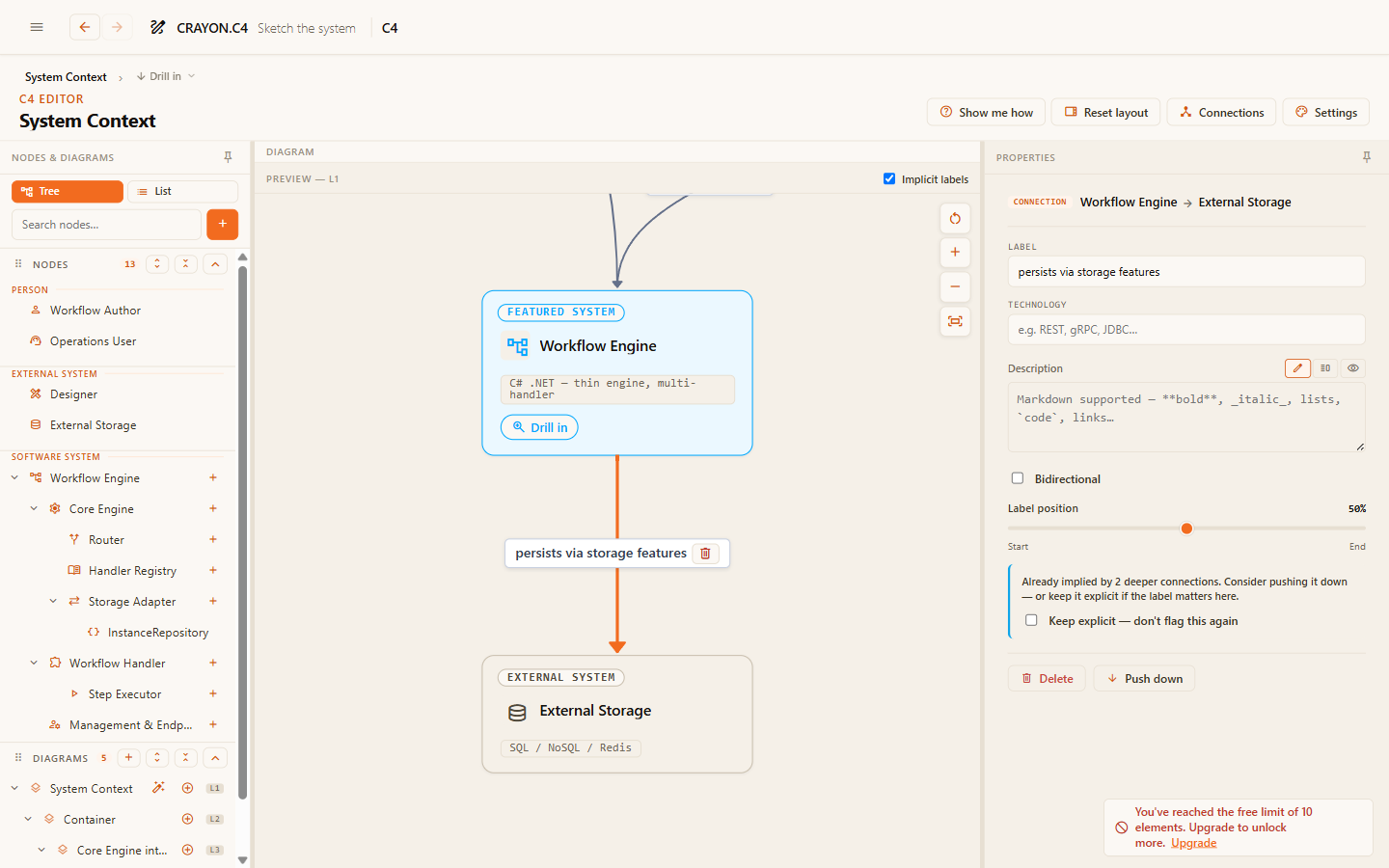
Draw a connection from each person to the system, and from the system to the external service. Label every arrow with a short verb phrase saying why the connection exists: "Places orders in", "Sends receipts via". An unlabeled arrow tells the reader nothing.
Step 6 — Read it back
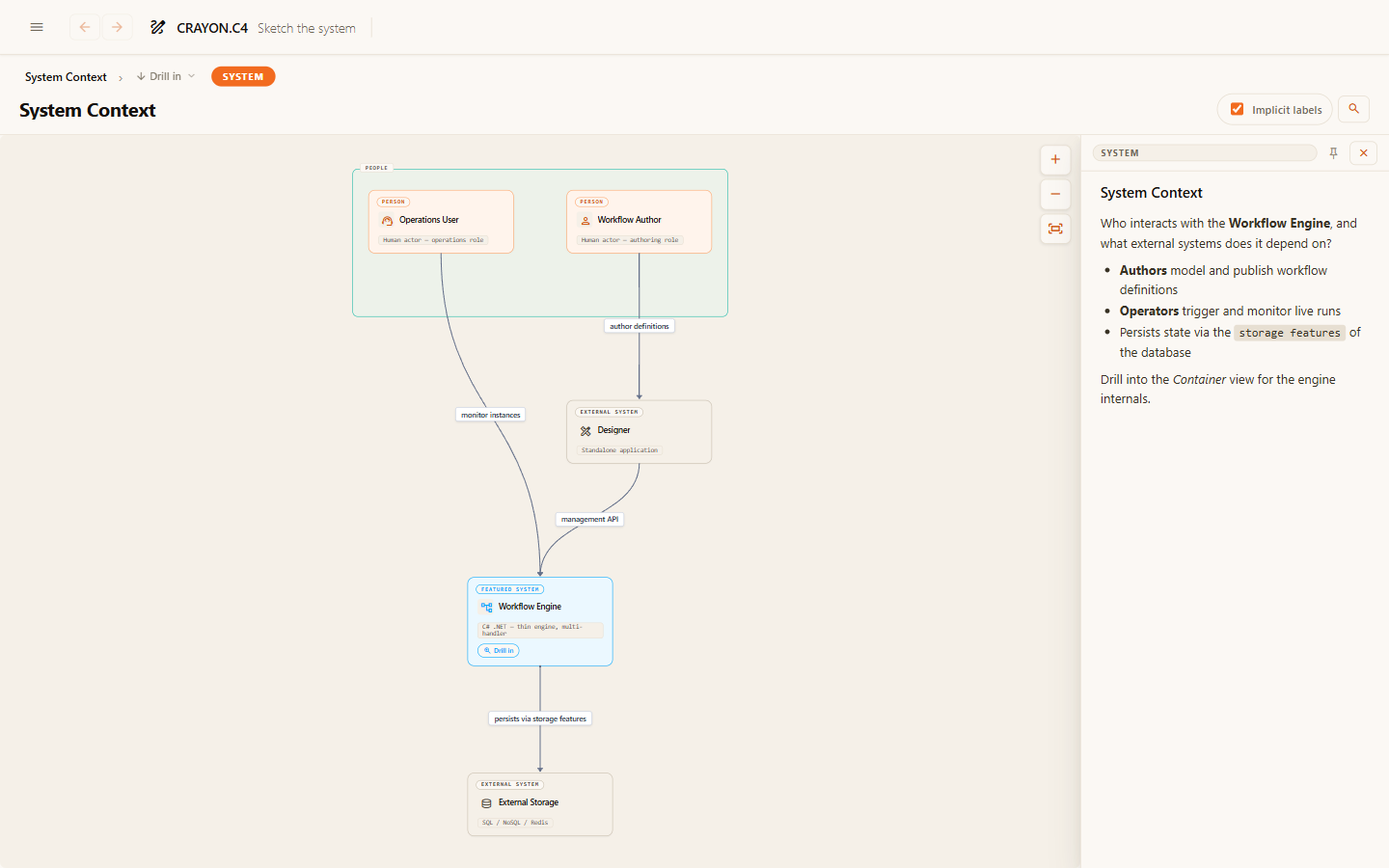
Switch to the C4 viewer (menu → C4 viewer). Ask the ten-second test: could someone who has never seen this system tell what it is and who uses it? If yes — that's a context diagram.
What you just used
- Element — any box on the canvas. Each has a fixed type that tells the reader what kind of thing it is.
- Software System / Person / External System — the three types that appear on a context diagram.
- Relationship — a labeled arrow between two elements.
There are two more element types (Container and Component) for looking inside the system — that's the next zoom level, covered in the C4 concept chapter.
Where next
- The C4 model — understand the zoom levels you just touched.
- C4 guides — go deeper: containers, drill-down, well-labeled relationships.