Inside CRAYON-C4: one model, four views
Everything in CRAYON-C4 follows from one decision: a software system is one model with several projections. The C4 structure diagrams, the F4 behavior flows, the deployment views — they are all views derived from the same elements and the same relationships. Edit an element once and every view follows. This post is the tour of how that works in practice, how I use it on real projects, and what it costs (mostly: nothing). The previous five posts covered the why of each view; this one is the how.
The model underneath
Three things live at the core of a project:
- Elements — people, systems, containers, components, code units. Each exists exactly once, with a name, a type, a parent, descriptions, and styling. There is no "this box on this diagram" — there is the element, and diagrams that show it.
- Relationships — one central list of element A → element B, label, technology. A diagram never owns a relationship; it displays those whose endpoints are visible on it. Draw a component-level dependency and the container view rolls it up automatically.
- Diagrams — views into the model. Each states which elements it shows and what it is about (its subject); the subject is drawn as the diagram's boundary. Delete an element and it leaves every diagram; rename it and every lane, placement, and card follows.
If you have ever renamed a service and then hunted through five files fixing labels, this is the part built for you.
The designer
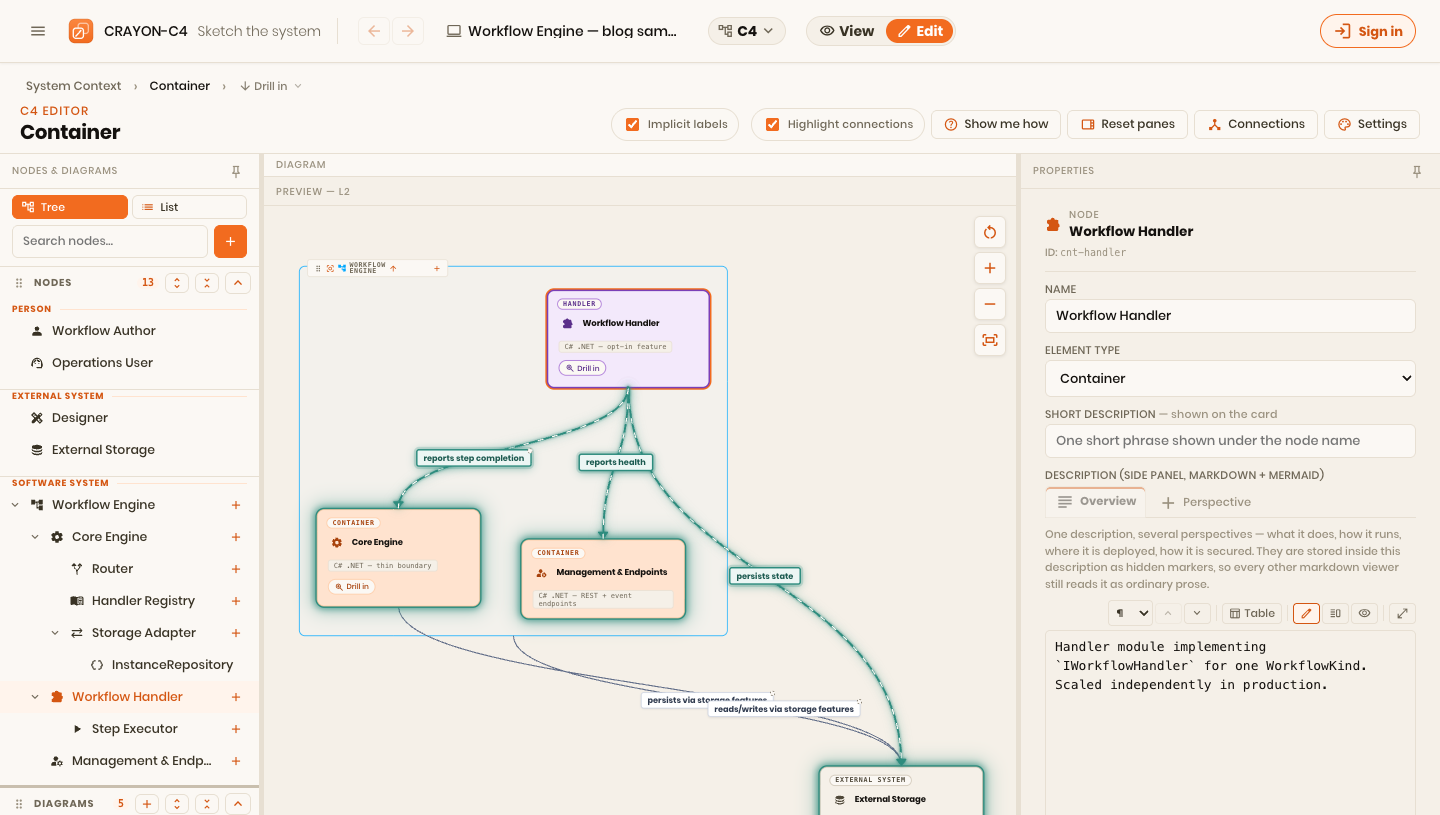
The editor is a three-pane layout: model tree on the left, canvas in the middle, live preview panels on the right. The parts I use most:
- Drill-down like a map. A system carries a link to its container diagram, a container to its component diagram. Viewers navigate with breadcrumbs; nothing is drawn twice.
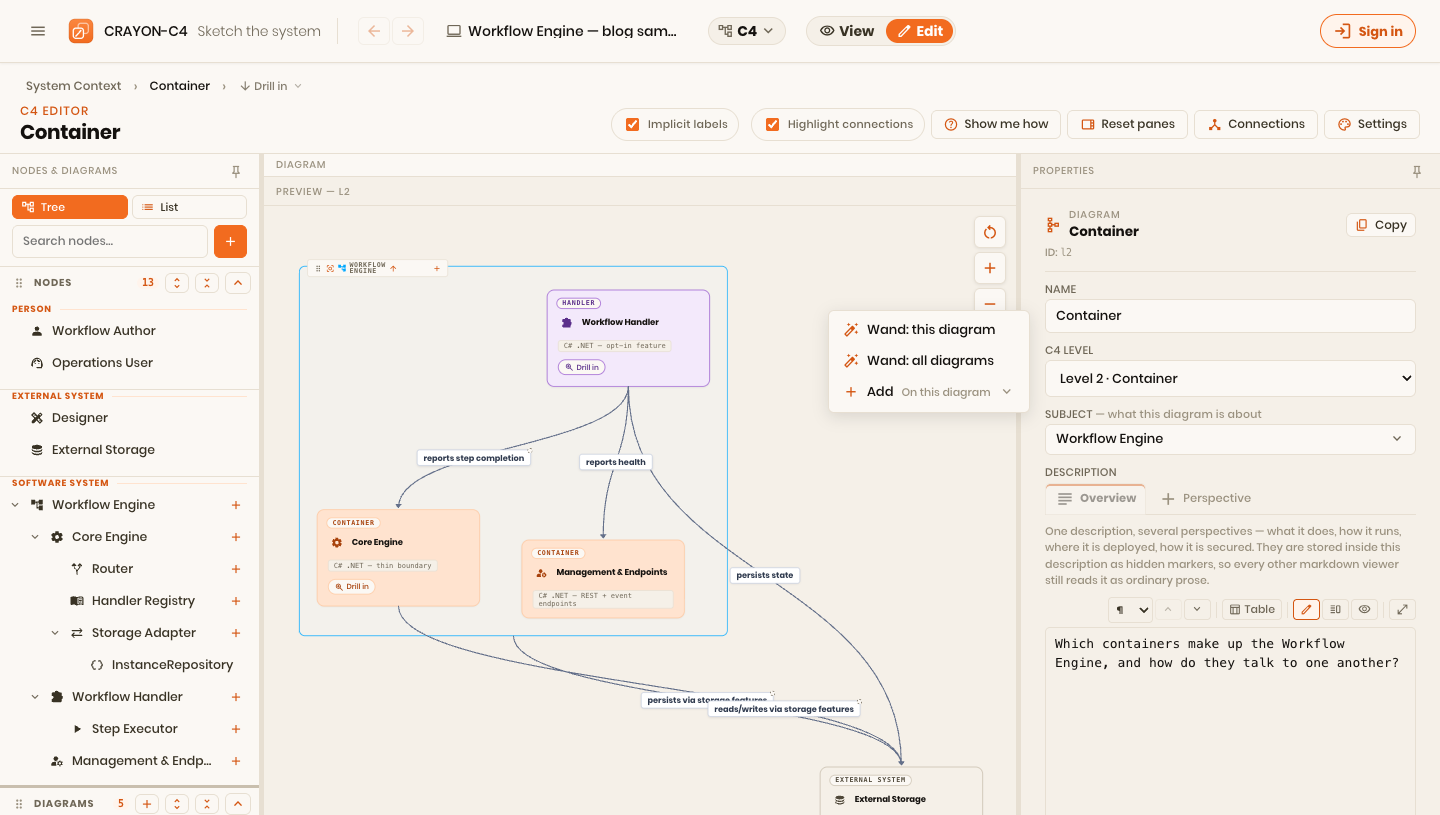
- Wands. Right-click the canvas: "Wand: all diagrams" scaffolds the whole diagram tree from the element hierarchy; "Wand: this diagram" populates the current diagram from its subject — children inside the boundary, related elements around it, everything rolled up to the right level. The wands are additive: they only ever add, so they are safe to run on a curated model.
- Connections in one place. Because relationships are central, there is one manager for them — no per-diagram arrow bookkeeping.
The three-pane layout: model tree on the left, canvas in the middle, properties on the right — editing a container's description right where its structure lives.
And the wand, mid-right-click — additive scaffolding, never a rewrite:
Behavior and deployment, same elements
Covered in depth in part 4 and part 5, so just the connective tissue here:
- F4 flows: swimlane diagrams per process; lanes bind to C4 elements; a flow collapses to container- or system-level when you need the summary. From any C4 element you can see every flow that touches it.
- Deployment: environments with infrastructure nodes and instances of the same containers. Connections that no architecture relationship justifies get flagged — the two views keep each other honest.
From code
For existing systems, don't start from a blank canvas:
npx crayon-c4 .scans a repository and produces a model file against a published JSON schema. Import it as a new project, or re-run it later and merge — additions proposed, removals opt-in, conflicts explicit, curation never silently lost (part 6 is entirely about this). A VS Code extension does the same from inside the editor, with the viewer rendering next to your code.
Local-first, and what's free
The part I care about most as a user of other people's tools:
- No account needed. Projects live in your browser, on your device. Nothing is uploaded unless you ask.
- Cloud save is optional — sign in, save a project, share it with your team. Explicit save with real conflict resolution; no silent overwrites.
- JSON export is free on every tier. Your model is yours; there is no plan where your own data becomes a feature.
How I actually use it
My default sequence on a new engagement:
- Extract if there is a repository; otherwise sketch the context diagram by hand — people, the system, the externals. Ten minutes.
- Run the wand to scaffold the diagram tree, then curate: names, one-line descriptions, hide the noise.
- Bind the first flow — whatever process people ask about most. This is the diagram that gets used in every onboarding after.
- Add production's deployment view the first time an environment question comes up. Test's view the first time someone says "works in test".
- Re-extract when the code has moved, and review the merge.
The demo project below opens straight in the editor — the same workflow engine from the earlier posts. Follow the sequence above on it, or break it and see what happens:
Where it stands, honestly
CRAYON-C4 is young. The C4, F4, and deployment editors are solid daily drivers; the extractor covers structure well but you will still curate meaning by hand (by design — see part 6); and there are rough edges I find weekly. That is exactly why this series ends with an ask instead of a pitch:
I need early users. Model a real system with it. Generate from a real repository. Then tell me what broke, what's missing, and what was unclear — through the support page or wherever you found this post. Feedback shapes what gets built next; right now, one message genuinely moves the roadmap.
Thanks for reading the series. The earlier posts have live diagrams too — start at part 1 if you came in here.
This was the tour. A second arc picks up where it left off — stepping back from the tool to the harder questions underneath it: what makes a diagram readable at all, why C4 is at once too much and too little, what it deliberately leaves out, and how any of it survives an era where AI rewrites the code faster than we can redraw the picture.
Next in this series: If you have to explain the diagram, the notation failed.