Link flows to your C4 model
The binding between flows and structure is what makes F4 more than a flowchart. This guide covers four linking mechanisms: C4 node management, C4 bindings, zoom-level reading, and flow-to-flow links.
Manage C4 nodes from the flow editor
You don't have to leave the flow editor to shape the C4 model it binds to. The F4 editor's left sidebar carries a C4 Nodes panel — the same node manager the C4 editor uses. From here you can create a node, add a child, rename, change its element type, reparent it, or delete it, and every change writes the one shared C4 model, so the C4 and deployment views stay in step. The rows are draggable, so you can drag a C4 node onto the canvas to create a lane already bound to it.
Because it's the same model, a container you add here immediately becomes selectable in every lane's and activity's C4 element picker below.
Bind lanes and activities to C4 elements
Every lane and every activity has an optional C4 element field in its form. Bind a lane to the container it represents; bind an activity to the component where it happens. Bound activities show a small colored cue on their card.
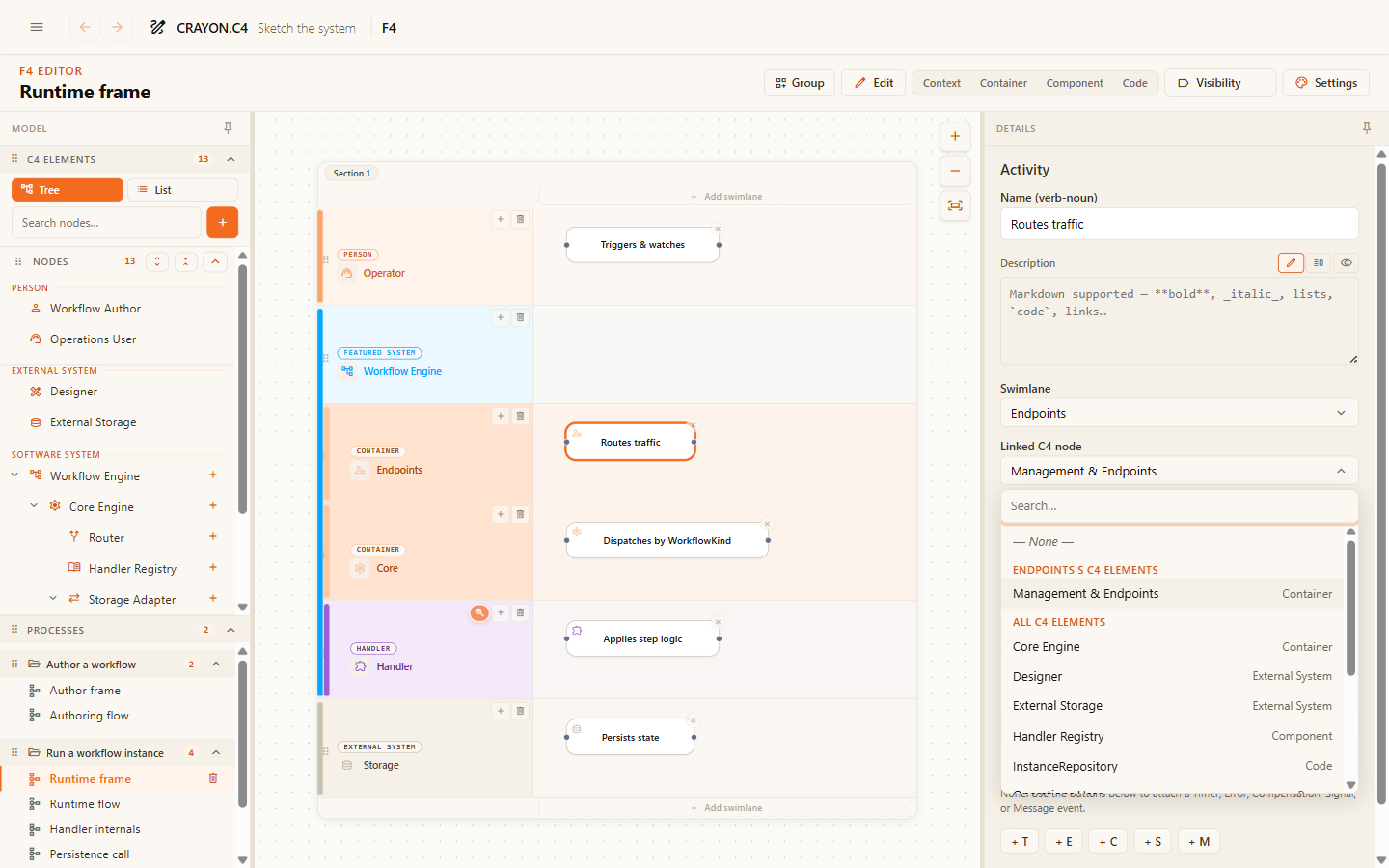
The payoff runs both ways: in the C4 viewer and editor, an element's side panel lists every flow lane and activity bound to it — so from any part of the structure you can jump straight to the behavior it participates in.
And from the flow side, the bound element's card shows where it lives: an Appears on section lists every C4 diagram the element is placed on and every deployment environment that hosts an instance of it, each row a link that jumps straight there. You'll find it in the viewer's side panel when you select a bound lane or activity, and inline in the lane and activity forms in the editor.
Read a flow at any zoom level
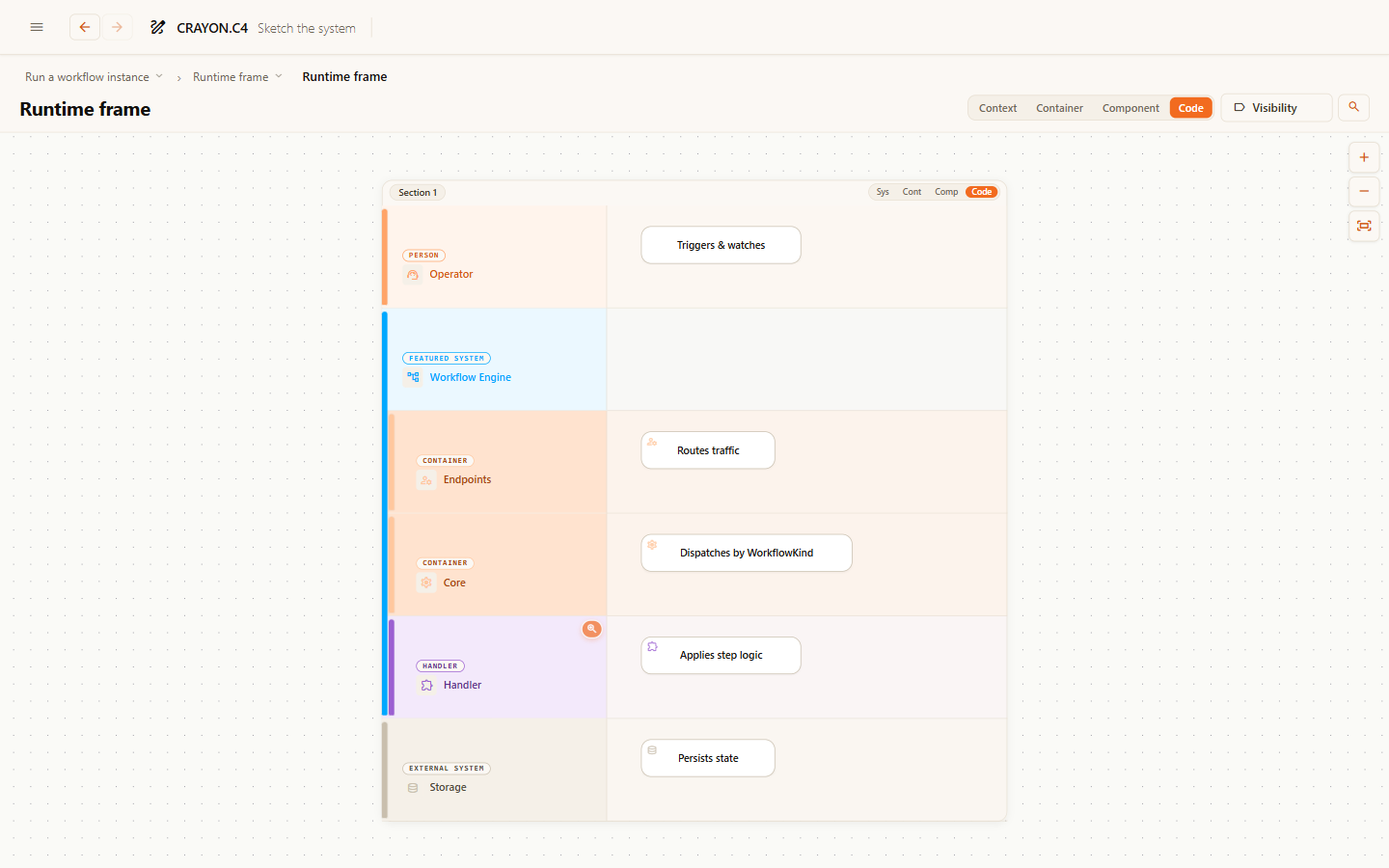
The viewer's level buttons — Context / Container / Component / Code — re-render the flow at that C4 granularity. Lanes bound to fine-grained elements fold into their parents; folded steps merge into one card with a count. Each section can also be set to its own level, so one part of the flow can stay detailed while the rest is summarized.
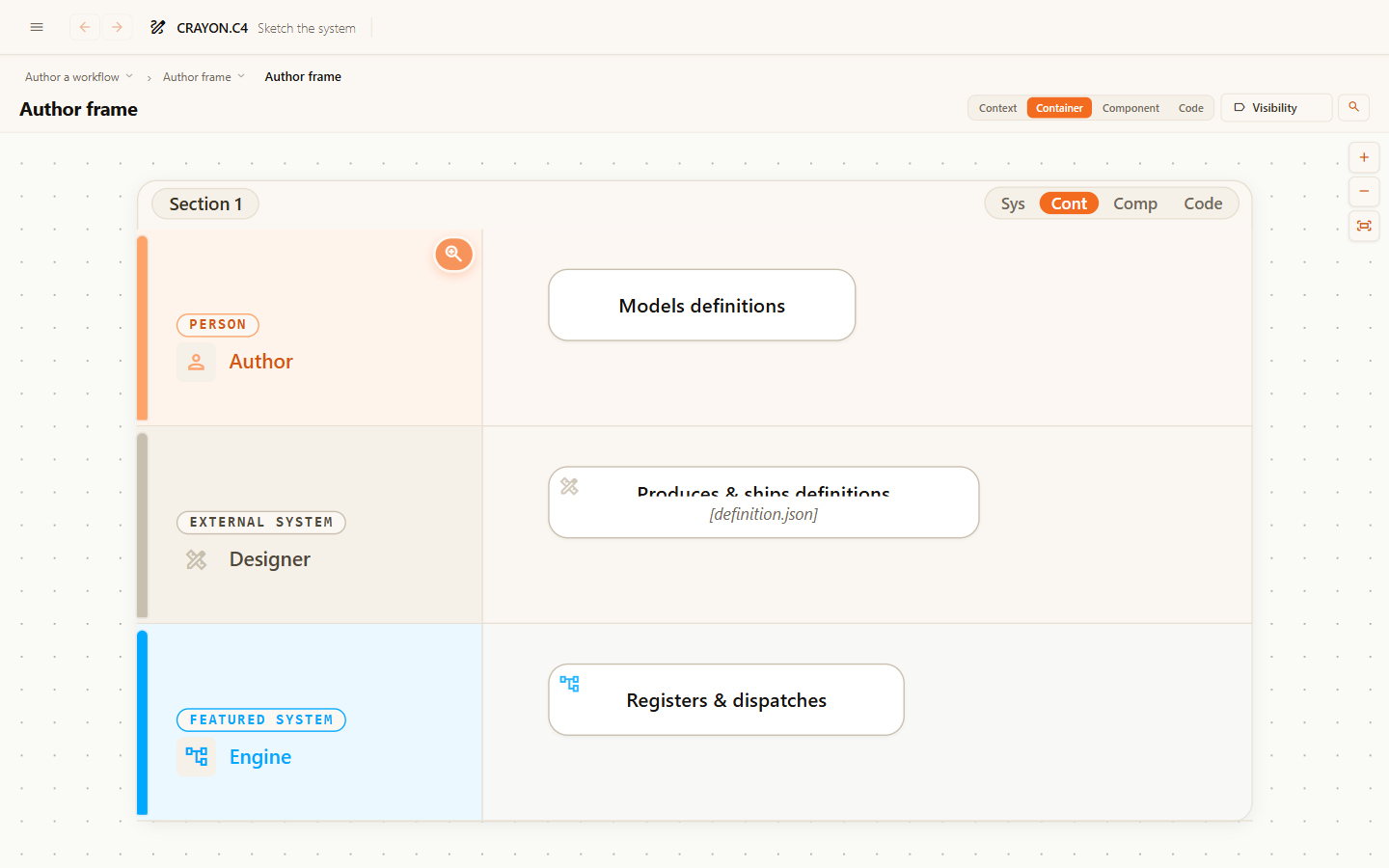
Code is the level you edit — the board as authored, and the only place the model changes. The other three are views of that board: read-only about the model, because everything on them may stand for several things you cannot see. They can still be arranged, though — drag a card at Context, Container or Component and it moves on that level alone, each level remembering its own layout while the board at Code stays exactly as it was.
If a fold looks wrong, the cause is almost always a missing or wrong C4 binding on a lane — fix the binding, not the flow.
Link flows together
Activities and lanes can carry diagram links to other flows — "the detail of this step lives over there". Linked elements show a drill affordance in the viewer: click to jump to the linked flow. Use links to keep each flow at one abstraction level instead of cramming everything into one diagram.
Where next
- Flow tips & tricks — levels, line shaping and the reading aids that go with these bindings.
- The F4 flow model — why one authored flow beats one drawing per audience.
- C4 guides — strengthen the structure these flows bind to.